


PDF Reader - PDF Editor
4.65.76K Reviews
App Specs
- Version
- 1.6.6
- Updated On
- License
- Free
- Downloads
- 50,000,000+
- Developer
- Simple Design Ltd.
- Categories
- Productivity
- Platform
- Android
Screenshots
 Analysis by AppCompare
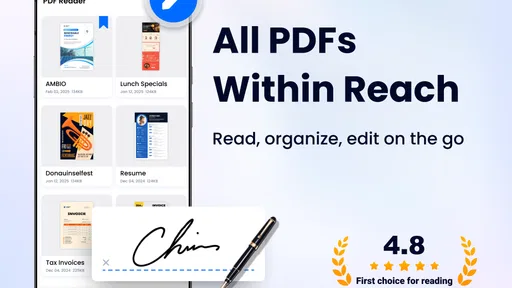
I spend a lot of time opening documents on a phone, so I tend to judge a PDF app less by its promises and more by what happens when I tap a file in a hurry. PDF Reader - PDF Editor is aimed at that everyday problem: reading and managing PDF documents from an Android device without turning the process into a complicated desktop-style task. It is a free productivity app from Simple Design Ltd., and its broad appeal is easy to understand.
My overall impression is that it works best as a practical document shelf and reader for people who want quick access to PDFs, rather than as a complete replacement for a full office or desktop PDF suite. The app has a straightforward purpose, supports a large audience, and keeps the focus on opening and handling documents. That simplicity is useful, although it also means users looking for advanced editing, professional review tools, or deep cloud workflows should examine their expectations before installing it.
What the app is really good at
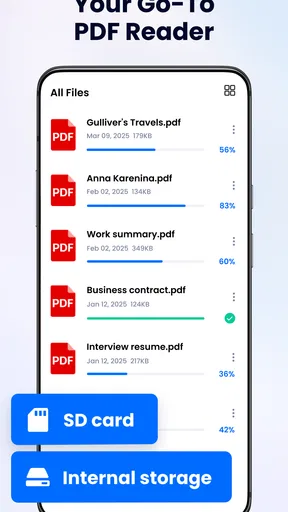
The first thing I value in a mobile PDF reader is a short path between finding a document and reading it. On a phone, I do not want to browse through several unrelated menus just to open a file I downloaded earlier. This app is built around that kind of direct use. Its role as a document reader and manager makes sense for study notes, work attachments, manuals, forms, receipts, travel documents, and saved reference material.
A realistic example is a busy morning when someone sends me a PDF schedule through a messaging app. I can save it, open the reader, locate the document, and check the relevant page without needing to move to a computer. Later, I might return to the same file while offline or while standing somewhere with only one hand free. That is where a dedicated reader feels more convenient than relying on a browser or repeatedly searching through a downloads folder.
The app is free to install, which lowers the barrier for casual users. Its content rating is Everyone, so it is positioned as a general-purpose productivity tool rather than an app aimed at a narrow professional audience. The current version is 1.6.6, and the application requires Android 6.0 or later. That minimum requirement is helpful for people using older compatible phones, although the experience will naturally depend on the device, its available storage, and how many documents are being handled at once.
Speed expectations on an everyday phone
For a reader like this, perceived speed is not only about opening a file instantly. It is also about how quickly the document list appears, whether page movement feels predictable, and whether returning to a file is less work than using another method. In my experience with this kind of app, the biggest advantage comes from having a dedicated place for PDFs instead of making the browser or a file manager do everything.
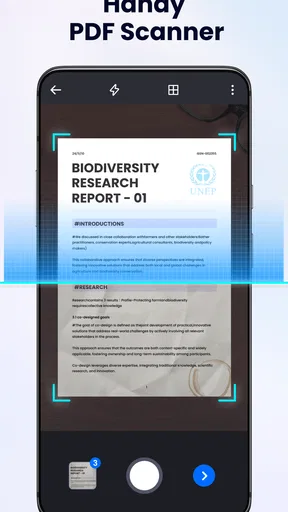
Simple documents should be the most comfortable use case. Text-heavy reports, short forms, and ordinary reference files are the sort of material I would expect to handle without much fuss. The experience becomes more demanding when a PDF contains many scanned pages, large images, or complex layouts. Those files naturally require more processing, and the phone’s hardware becomes more important than the app’s basic interface.
Worth Reading Before You Choose

Baby Panda World Brings Quick Play to Modern Phones, but Its Game Library Feels Busy

ESPN’s Live Game View Makes Following Close Games Easier

QuizzLand Review: A Good Fit for Short Trivia Breaks, Not Every Player

Basketball Stars: Multiplayer Is Fast, but Can It Recover When Matches Go Wrong?

WEBTOON Turns Phone Updates Into a Better Reading Routine

Link to Windows Runs on Shared Habits, Not Social Feeds
One useful habit is to avoid judging the app from a single unusually large document. I would first open a few files that represent normal daily use, then try the largest document I regularly need. This gives a more realistic picture of whether the reader suits my workflow. A person who mostly reads invoices and short reports may find it comfortably responsive, while someone who constantly reviews image-heavy technical manuals should be more cautious.
The app’s popularity suggests that it has reached a wide audience: it has more than fifty million installs, with an average rating of 4.6 from around seven hundred fifty-three thousand ratings. Those figures do not guarantee identical performance on every phone, but they do indicate that the basic reading workflow has broad appeal. I treat that as reassurance about the product’s general usefulness, not as proof that every demanding file will behave perfectly.
What happens during heavier document use
Heavy use changes the question. Opening one PDF is simple; moving between a collection of documents, returning to long files, and working with image-rich pages places more pressure on the device. I would pay attention to whether the app remains comfortable when several documents are part of the same task, especially on a phone with limited free storage or memory.
A practical workflow is to separate active documents from old ones. I would keep the files needed for the current project easy to locate and remove duplicate downloads with confusing names. This is not a glamorous feature, but it makes a real difference in a mobile reader. The less time I spend guessing which copy is current, the faster the whole task feels.
Another useful approach is to download important documents before leaving a reliable connection. If I need a boarding document, appointment form, or work reference later, I do not want the success of the task to depend on finding the original message again. The reader is most valuable when it becomes the place where I intentionally keep the files I expect to consult, rather than merely another app that displays whatever happens to be opened from elsewhere.
I would also avoid opening several unusually large scanned files at the same time when using an older device. If the phone begins to slow down, closing unrelated apps and returning to one document at a time is a sensible recovery step. That is general mobile housekeeping rather than a special promise from this reader, but it matters because document handling can expose the limits of the phone quickly.
Stability and recovery when something goes wrong
Reliability matters more to me than a decorative interface. A PDF reader earns its place when I can return to a document after an interruption and continue the task without confusion. Phone calls, notifications, low battery, and accidental app switching are normal parts of mobile use, so a dependable reader should fit around those interruptions.
I would keep the original copy of an important document in its original location until I am sure I have the version I need. This is especially important for forms or work files that may have several similarly named copies. The app can help me read and manage documents, but good file habits still protect me from opening an outdated attachment or losing track of a revised version.
When a file does not open as expected, I would first check whether the document itself is incomplete or damaged by trying it through another trusted viewer. That simple comparison helps distinguish a problem with the file from a problem with the app. I would also reopen the reader, confirm that the file is available locally, and avoid repeatedly tapping a document while the phone is already busy. These steps are more useful than assuming every delay means the application is unreliable.
The app is not the right place to store the only copy of something irreplaceable. I would keep important documents backed up through my normal phone or storage routine and use this reader primarily for access and organization. That is a sensible distinction: a reader can be convenient without being the entire document-safety strategy.
Editing expectations and the free model
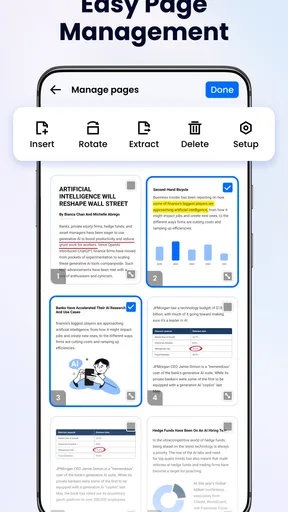
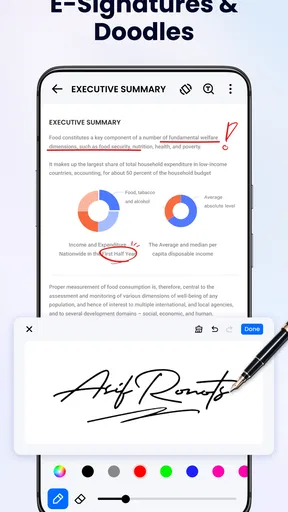
The name includes “PDF Editor,” so I would clarify what I expect before making it part of a serious document workflow. A reader and manager is excellent for viewing, locating, and handling files, but professional PDF work can involve precise form creation, detailed annotations, page restructuring, signatures, redaction, and collaboration. If those tasks are central to my day, I would compare this app with a specialist editor before depending on it.
The free entry point is attractive for reading. However, in-app purchases range from $9.99 to $49.99 per item, so I would check the purchase screen carefully before assuming every editing-related function is included at no cost. The sensible approach is to install it for the basic reading job first, then decide whether any paid capability is worth adding to my particular workflow.
This pricing structure also changes who should choose it. A student who mainly opens lecture PDFs, a traveler who needs documents available on a phone, or a household user checking manuals may get enough value from the free experience. A designer, legal worker, or administrator who needs advanced control over document content may prefer an established professional tool, even if that tool feels heavier and less convenient for quick reading.
Device limits and practical maintenance
Android 6.0 compatibility makes the app approachable for older supported phones, but compatibility is not the same as identical performance. A newer device with more available storage should handle demanding documents more comfortably than an older model that is nearly full. I would leave enough free space for normal phone operation and avoid treating a document reader as a substitute for managing storage properly.
Screen size also affects the experience. On a compact phone, regular PDFs may require more zooming and repositioning, especially when the page uses small tables or dense text. On a larger display, reading is naturally easier, but that does not remove the need to check page layout carefully. For long study sessions or detailed editing, a tablet or computer can still be the better choice simply because the workspace is larger.
Battery use is another practical consideration during long reading sessions. I would not expect a phone-based reader to make a large, bright screen feel effortless for hours. Lowering brightness when appropriate, closing unrelated apps, and keeping essential files available before a journey are small steps that make the overall experience more dependable.
Because the app is designed for Everyone, it is approachable for family use, but that does not mean every family member will find it equally suitable. A child may only need to open a school worksheet, while an adult may need to manage confidential work documents. I would keep those use cases separate and use the phone’s normal privacy and account controls rather than assuming the reader alone solves document security.
How it compares with usual alternatives
The most obvious alternative is the browser. A browser is convenient when a PDF arrives as a web link, but it is less satisfying when I need a dependable document collection on the phone. A dedicated reader gives the task a clearer home and avoids mixing documents with ordinary web tabs. On the other hand, the browser may be enough for someone who only opens an occasional file and does not need ongoing document management.
A built-in file manager is another competitor. It is useful for renaming, moving, and deleting files, but it may not offer the same focused reading experience. I see this app as a layer between raw storage and a full office suite: more convenient for reading than a basic folder view, but less ambitious than a complete document-production environment.
Full office applications are stronger when I need to edit text, build spreadsheets, or collaborate on a broader project. They can also feel unnecessarily large when my only goal is to read a PDF on the bus or check a saved form in a waiting room. This reader makes more sense when PDF access is the main task and I do not want a larger productivity package taking over the workflow.
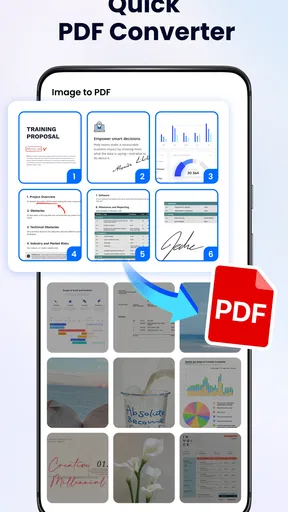
Specialist PDF tools may be better for advanced annotation, signing, conversion, or professional review. Their advantage is depth; their disadvantage is often complexity, account requirements, or a less immediate reading experience. I would choose this app for quick access and everyday document handling, then switch to a specialist tool when the document itself demands precision rather than convenience.
Who will get the most from it
I would recommend it to people who regularly receive PDFs on Android and want one familiar place to read them. It is particularly suitable for students checking course material, workers reviewing attachments, families keeping manuals and forms handy, and travelers carrying tickets or confirmations. The free starting point makes experimenting easy, while the Everyone rating keeps it broadly accessible.
I would be more selective if my work depends on advanced document production. Someone who needs a detailed audit trail, sophisticated collaboration, or exact professional editing should not choose a reader simply because its name includes the word “Editor.” In that situation, a dedicated professional package is likely to justify its extra complexity.
I would also skip it if I almost never open PDFs on my phone. Installing another app will not improve a workflow that happens once every few months, especially if the browser or existing file tools already meet that need. The value appears when PDF reading is frequent enough that a dedicated, organized space saves repeated effort.
My performance verdict
After looking at the app through the lens of speed, heavier document use, recovery, and device limits, I see PDF Reader - PDF Editor as a sensible everyday productivity choice rather than an all-purpose professional document studio. Its strongest quality is focus: it gives ordinary PDF tasks a dedicated destination and keeps the barrier to entry low.
The best results will come from matching the app to the right workload. Use it for routine reading, document access, and practical mobile organization; keep important originals backed up; and test your largest regular files before making it essential to your job. Those habits matter more than chasing a perfect reader, because phone performance depends on both the application and the documents being opened.
Simple Design Ltd. has built an app with wide reach, and the combination of a free starting point, broad Android compatibility, and strong user adoption makes it worth trying for frequent PDF readers. I would recommend it to a friend who wants a straightforward way to handle documents on Android, with one clear qualification: if advanced editing is the main reason for installing it, compare the available tools and any paid options carefully first.
For my own use, the deciding question is simple: do I need a quick PDF reader that reduces friction, or a full document-production system? If the answer is the first, this app is a practical fit. If the answer is the second, I would use it alongside a more specialized alternative rather than expecting one lightweight mobile reader to cover every professional requirement.
Pros
- Opens large PDF files smoothly on most modern devices.
- Supports text search for quickly finding words or phrases.
- Allows highlighting and adding notes to important passages.
- Works offline
- making documents accessible without an internet connection.
- Offers convenient file sharing through email and messaging apps.
Cons
- Some advanced editing tools may require a paid upgrade.
- Formatting can appear imperfect in complex or scanned documents.
- Large files may take longer to load on older phones.
- Annotation tools may feel limited compared with desktop PDF software.
- Ads may interrupt the experience in the free version.
FAQs for PDF Reader - PDF Editor
What can PDF Reader - PDF Editor do?
PDF Reader - PDF Editor is designed for opening, reading, and managing PDF documents on a mobile device. During testing, the app was useful for viewing files, searching through text, zooming pages, and organizing documents. Depending on the version and device, it may also include tools for highlighting, adding notes, filling forms, signing documents, and making basic edits without requiring a desktop computer.
Can I edit and annotate PDF files with this app?
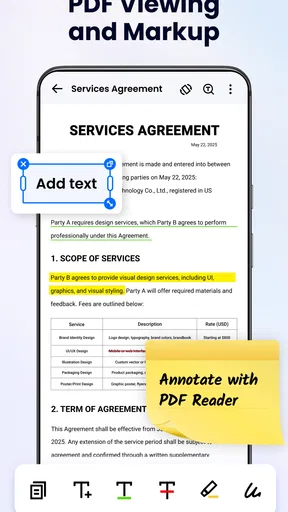
Yes, the application generally provides more than simple PDF viewing. Users can often highlight important passages, underline text, draw on pages, insert comments, and add text boxes. Some versions may also support filling out forms or adding signatures. However, advanced editing—such as changing existing paragraphs, rearranging complex layouts, or modifying embedded images—may be limited or reserved for premium features.
Does PDF Reader - PDF Editor work without an internet connection?
The app can usually open and read PDF files that are already stored on your phone without an internet connection. Basic functions such as page navigation, zooming, searching, and many annotation tools should work offline. Internet access may still be required for downloading documents from cloud services, synchronizing files, sharing through certain platforms, displaying advertisements, or activating subscription-based features.
Is PDF Reader - PDF Editor free to download and use?
PDF Reader - PDF Editor is commonly available as a free download, but its business model may include advertisements, optional in-app purchases, or a premium subscription. The free version is normally sufficient for reading and basic document management, while advanced editing, unlimited signatures, cloud storage, ad removal, or export tools may require payment. Check the store listing carefully before subscribing.
Is PDF Reader - PDF Editor safe for private or sensitive documents?
The app can be convenient for opening personal documents, but users should review its permissions and privacy policy before handling sensitive files. Avoid granting unnecessary access, especially if a feature does not require it. Documents shared through cloud services, email, or online conversion tools may leave the device, so confidential contracts, identity documents, and financial records should only be processed when the app’s storage and sharing practices are acceptable.


